Home / Dashboard
Dashboard
I've been working on our desktop dashboard for the past few years, and I've been able to iterate on it a lot. Here are some examples of the work I've done:
Onboarding Sessions module. To give our team a clear overview of each user's onboarding experience, I designed and built this module for the user details page. It organizes all session details in one streamlined, easy-to-navigate section.
I designed and helped build our contextual AI assistant. It explains user classifications after onboarding and lets tenants take action using natural language—making complex tasks much simpler.
Redesigned the main dashboard navigation to maximize horizontal space, giving tables and dense screens more room to breathe. This forward-thinking update sets the stage for a more streamlined layout as our product evolves and our users become more experienced, letting us surface even more information where it matters most. I also implemented all these designs in production.
I designed a 'rules summary' view for the onboardings section that gives tenants a quick snapshot of which risk signals were triggered during a user's onboarding. It clearly shows the order of triggered rules and helps explain the user's journey and evaluation. For deeper analysis, tenants can expand to see the full decision graph—highlighting the exact path taken and which rules weren't triggered—making it easy to dig into details only when needed, while keeping the main view clean and focused.
A small but impactful feature: I built a way for tenants to contact us directly from the dashboard, sending inquiries straight to our internal Slack. No more switching tools or copying context—now, with a single message, we get all the details we need to help right away. I designed and implemented this end-to-end.
Smart filters for our users table. As our tenants onboarded more users, quickly finding the right information in large tables became a challenge. The old filters were too click-heavy and slowed down a task our customers did all the time. I designed these smart filters to adapt to different option combinations, helping tenants get to the right results faster and with less effort.
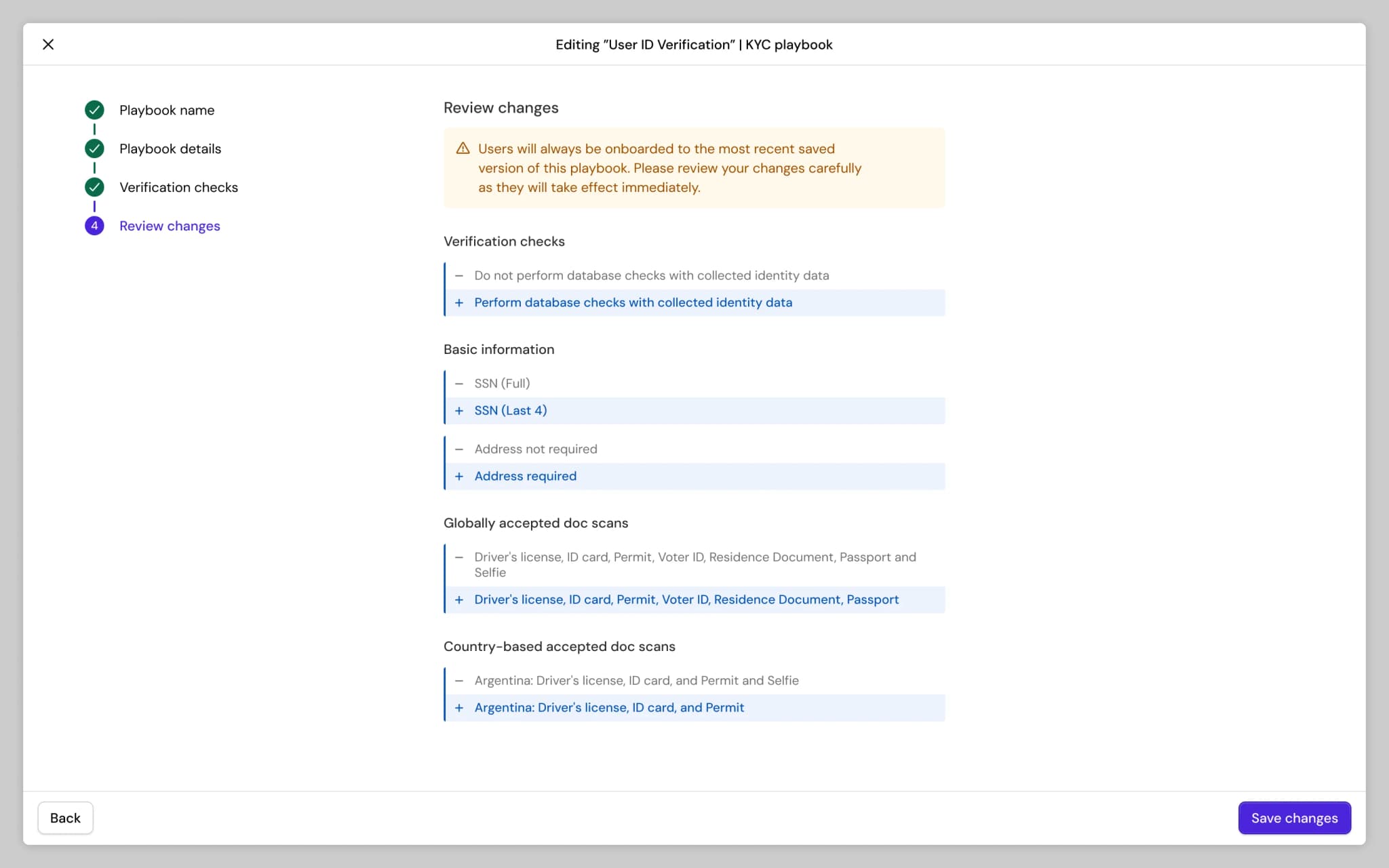
When publishing new versions of playbooks, it's important to clearly highlight what has changed before saving, so tenants can avoid unexpected disruptions to their onboarding flows. I designed this diff-review stage to help tenants easily review and understand changes before committing them.
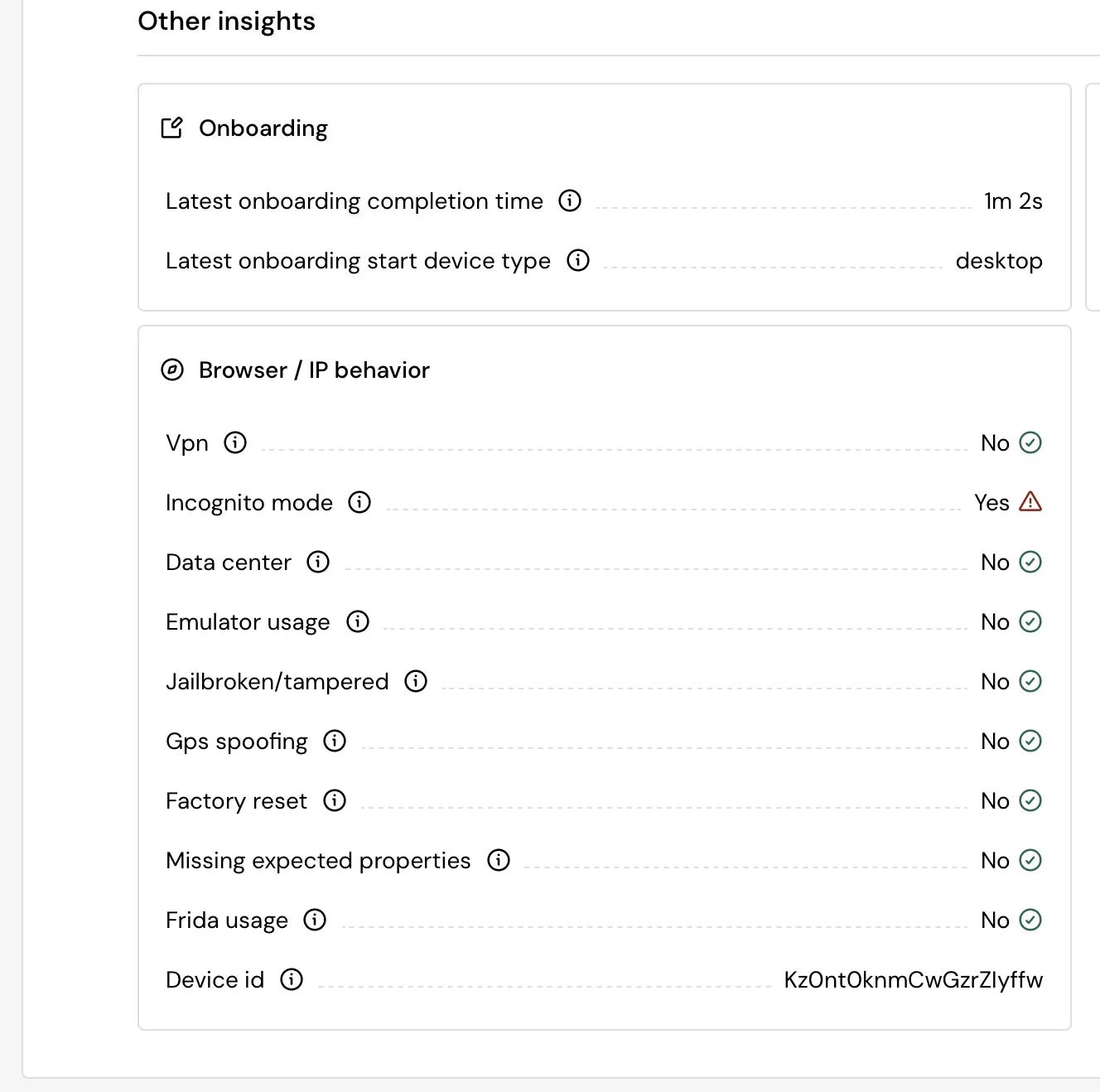
I designed a new section in user details to surface additional insights we collect from third-party vendors—making it easier for reviewers to see all relevant information in one place. While the interface appears simple, it consolidates and standardizes over 50 risk variables from multiple sources. I mapped each variable's meaning and impact, ensuring the list clearly explains which signals may indicate potential fraud, so reviewers can quickly understand and act on the data.